
All Categories
Cart (0)

Your cart is empty
Add some items to get started
Your cart is empty
Add some items to get started
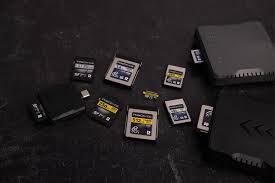
Memory cards seem simple — until you start reading specifications. UHS-I, UHS-II, U1, U3, V30, V60, A1, A2. What does it all mean? Let's demystify the jargon so you buy the right card the first time.
Capacity first: how much space do you actually need? 64GB is the sweet spot for most users — enough for thousands of photos, hours of 4K video, or dozens of apps and games. 128GB suits content creators who shoot regularly. 32GB works for casual users who offload photos frequently. Our SanDisk Extreme Pro 64GB offers the perfect balance of capacity and price for most Nepali users.
Speed classes explained simply. Speed Class (C10) guarantees minimum 10MB/s write speed — fine for 1080p video. UHS Speed Class (U3) guarantees 30MB/s — required for 4K video recording. Video Speed Class (V30) also means 30MB/s, while V60 and V90 are for professional 8K and high-bitrate video. For 99% of users, U3 or V30 is sufficient.
Application Performance Class matters for phone users. A1 and A2 ratings indicate how well a card handles random reads/writes — essential if you run apps from the card on Android phones. A2 is significantly faster for app loading and in-app performance. Our SanDisk Extreme Pro is rated A2, making it ideal for smartphone expansion and running games smoothly.
Read vs. write speeds: which matters more? Read speed (how fast you can copy files off the card) matters for transferring photos to computers. Write speed (how fast the card saves data) matters for burst shooting and video recording. The SanDisk Extreme Pro offers up to 160MB/s read and 60MB/s write — excellent for both fast transfers and smooth 4K recording.
Beware of counterfeit cards. Fake memory cards are everywhere. They report fake capacities (a "64GB" card might actually hold only 8GB before corrupting data). Buy only from authorized dealers. Look for SanDisk's authenticity features — holographic stickers, unique serial numbers, and official packaging. If the price seems too good to be true, it almost always is.
Durability matters for adventure photographers. If you shoot in extreme conditions — humid jungles, freezing mountains, dusty deserts — look for cards rated temperature-proof, waterproof, shock-proof, and x-ray proof. The SanDisk Extreme Pro line is built for harsh conditions, making it perfect for Nepal's varied climate and travel photographers.
Formatting best practices. Always format new cards in the device you'll use them with (camera, phone, dashcam). Never use quick format on a card that has shown errors — do a full format. Format cards every few months to maintain performance. Avoid using the same card across multiple devices without formatting in between.
Real-world speed tests matter more than specs. A card rated 160MB/s might only deliver 90MB/s in your specific device due to hardware limitations. Check online reviews for tests using similar equipment. For 4K video recording, overshoot the requirement — if your camera needs V30, buy V60 for headroom.
Signs your card is failing. Corrupted files, slow read/write speeds, error messages when saving, photos that appear "half-loaded," or cards becoming read-only are all warning signs. Replace immediately — data recovery costs far more than a new card. Back up important files weekly.
Our recommendation for most users: SanDisk Extreme Pro 64GB. It offers ample capacity, excellent read/write speeds (160/60MB/s), A2 app performance, and robust durability. It handles 4K video, burst photography, and everyday use with ease. At NPR 4000, it's an investment in reliability and speed that saves frustration down the road.
Visit our store to test cards or ask about compatibility with your specific device. We'll help you choose the right card for your camera, phone, or drone.